Getting started
How do I create an event?
Tap Get Started, enter your event name and email, choose a password, and pay the one-time Free (or start a free demo). You get a QR code, a printable table sign, a private gallery and a live slideshow link straight away.
How long does it take to set up?
About a minute, all from your phone. There's no app to install, no hardware, and no sales call.
Do I need to install anything?
No. Everything runs in a normal web browser for you and your guests. Nothing to download on either side.
Can I try it before I pay?
Yes. The free demo gives you the full experience — QR, uploads, captions, slideshow and gallery — capped at 10 photos. Upgrade to unlimited any time and your QR code stays the same.
Where should I put the QR code?
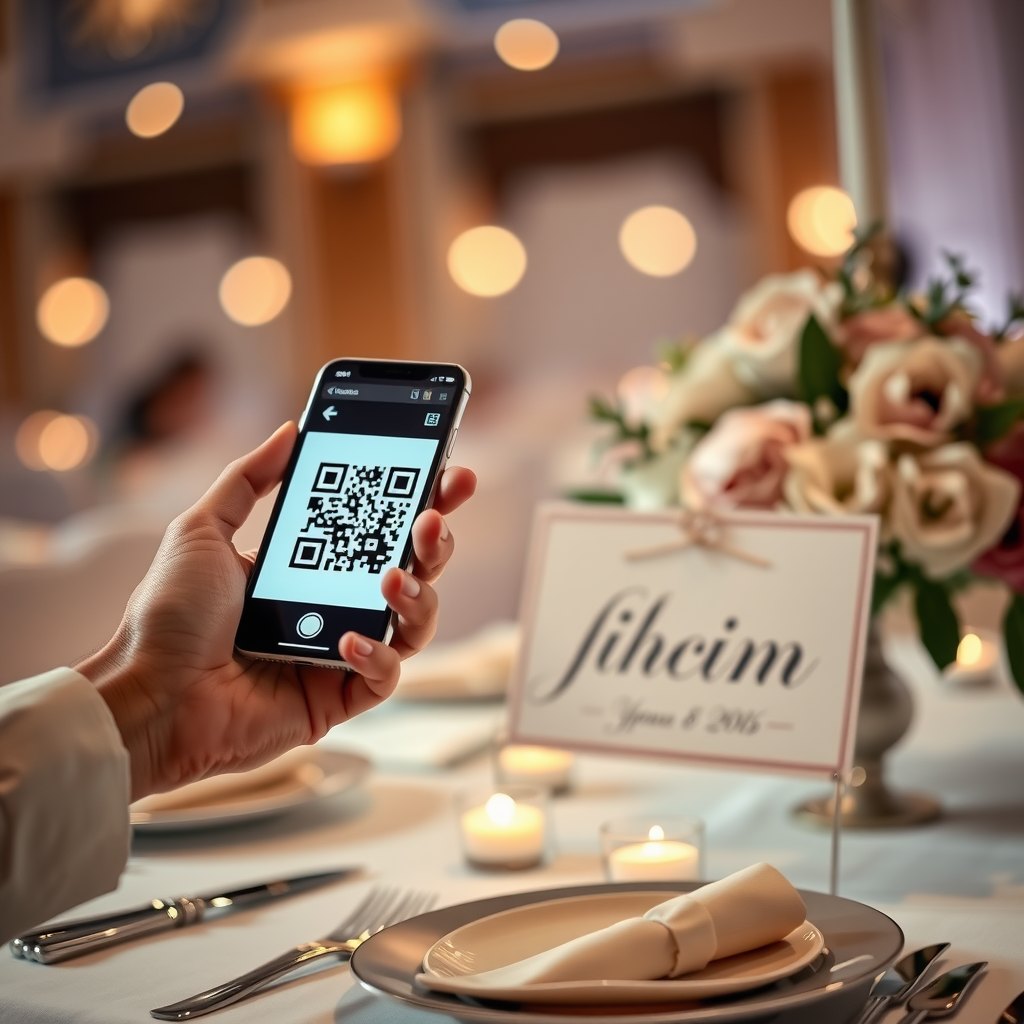
Anywhere guests will see it: printed table signs, the welcome board, the order of service, or up on the slideshow screen. We give you a printable poster you can put on every table.
Do I need a separate QR code for each table?
No — one QR code covers the whole event. Print as many copies of the same sign as you like so there's one on every table.
Can I set it up in advance?
Absolutely. Create the event whenever suits, print the signs, and the gallery simply waits until your guests start scanning on the day.
Can I change my event name or details later?
Yes. Sign in to your account to manage your event. Your QR code and links keep working regardless.
Can I run more than one event?
Yes. Each event is separate with its own QR, gallery and slideshow. Create as many as you need — each is a one-time Free.
Do I need a photographer or any special gear?
Not at all. Your guests' phones do the work. It runs alongside a professional photographer beautifully, catching the candids they can't.
For your guests
Do guests need to download an app?
No — ever. They scan the QR code or tap the link and their phone's browser does the rest, on iPhone and Android.
Do guests need to sign up or make an account?
No. There's no login, no email, no account. Scan, pick photos, done.
Does it work on both iPhone and Android?
Yes, on any reasonably modern phone. It also works from a tablet or laptop browser.
Can guests add their name or a message?
Yes. There's an optional name and caption field, and both show under the photo on the slideshow and in your gallery.
Can a guest upload lots of photos at once?
Yes. They can select many photos in one go and everything uploads in the background.
What if someone can't scan the QR code?
Every event also has a short web link they can type or tap instead of scanning. Same result.
Can guests see everyone else's photos?
No. Guests can add photos but can't browse the gallery — only you can, once signed in. It keeps things private and avoids any surprises.
Can a guest remove a photo they uploaded?
Uploads go straight to your private gallery. If a guest wants something removed, you (or we, on request) can take it down — just ask.
Will older or less tech-savvy guests manage?
Yes — that's the whole point. Scanning a QR and tapping a photo is about as simple as it gets, with no app or sign-up to trip anyone up.
Do guests need good phone signal?
A normal connection is plenty. Every upload is broken into small chunks and sent piece by piece, so photos keep going even on patchy venue Wi-Fi — and guests can switch to mobile data if the venue network is slow.
What happens if the internet drops mid-upload?
It's built for exactly that. Because photos upload in small chunks with automatic retries, a brief drop-out just pauses the transfer — it picks up again on its own when the signal returns, without losing what already went through. Guests barely notice. For real peace of mind, run our free Venue Wi-Fi check beforehand.
Photos, video & voice
Are photos kept at full quality?
Yes. Every photo is saved at full resolution as a high-quality image — no shrinking, no watermark, no 'keep the good version for a bigger plan'.
Can guests upload videos too?
Yes. Guests can add video clips as well as photos, at full quality. They play back in your gallery and appear on the slideshow.
Can guests leave a voice message?
Yes — there's a built-in voice guestbook. Guests can record a short spoken message right in the browser, and you'll hear them all back in your gallery.
What photo formats are supported?
All the common ones, including iPhone HEIC/HEIF and standard JPEG and PNG. We convert HEIC so it opens everywhere while keeping the quality.
Is there a file-size limit?
Large photos and videos are fine — they upload in pieces so big files don't fail. Extremely long videos are best kept to highlight clips.
Do you compress or watermark the photos?
No watermark, and no lossy shrinking. You get the originals your guests took.
Are the photo details (EXIF) kept?
Yes, the original capture details are preserved, and we add a tidy title so your downloads stay organised.
How many photos can an event hold?
Paid events are unlimited. The free demo is capped at 10 photos so you can try everything first.
Do portrait and landscape photos both look good?
Yes. On the slideshow, both fill the screen with a soft blurred backdrop — never an ugly letterboxed black bar.
Can guests upload photos from earlier, not just live ones?
Yes. They can pick anything from their camera roll, so the shots from the ceremony or the pre-drinks all end up in the same place.
The live slideshow
How does the live slideshow work?
Open your private slideshow link in any browser on the venue screen. As guests upload, their photos slide in within seconds with cinematic transitions, their caption and name, and your QR in the corner.
What do I need to run it?
Any screen with a web browser or an HDMI port: a smart TV, a laptop plugged into a projector, or a Chromecast tab. Nothing to install.
How quickly do new photos appear?
Usually within a few seconds of a guest uploading. New shots jump the queue so the screen always feels live.
Can I cast it to a Chromecast or Apple TV?
Yes. Open the slideshow link in a browser tab and cast that tab, or plug a laptop straight into the screen.
Does the slideshow show the QR code?
Yes — the join QR sits in the corner and pops up full-screen now and then, so latecomers always know how to add their photos.
What is the collage mode?
Every so often the slideshow fills the screen with a grid of recent shots, then goes back to the big single-photo view. It's a lovely way to show the night building up.
Does the slideshow need the internet?
Yes, the venue screen needs a connection to receive new photos. Our Venue Wi-Fi check tells you beforehand if the connection is up to it.
Can I keep certain photos off the big screen?
The gallery is private to you, and if you ever want a specific photo hidden from the screen, just ask and we'll take care of it.
Is the slideshow link private?
Yes. It only opens with your secret screen key, so nobody can put it up on another screen without your link.
Can people who can't make it watch the slideshow?
Yes — that's one of the nicest touches. Share your live-view link and anyone at home, interstate or overseas can watch the same slideshow live on their phone or laptop as photos come in. Grandparents who couldn't travel, friends who missed out — they're all still part of the night.
Can I use the slideshow after the event?
The gallery and links stay available for your whole 90-day window, so you can replay the slideshow at home too.
Privacy & No AI
Do you use AI or facial recognition?
No — deliberately. We never run AI, face-scanning or biometric analysis on your photos. It's a party, not a data grab. See our
No-AI promise.
Do you train AI models on my photos?
Never. Your photos are never used to train AI — ours or anyone else's.
Who can see the uploaded photos?
Only you, in your password-protected gallery. Guests upload but can't browse, and the slideshow needs your secret link.
Do you sell or share my data?
No. We never sell your photos or data, and we never hand them to third parties for their own use.
Is the gallery actually private?
Yes. It's protected by the password you set, and the links (gallery and slideshow) are secret. Guests never get to scroll through everything.
Can I delete everything?
Yes. Ask us and your gallery is removed. Otherwise it's archived at the end of its window and then purged.
Where are the photos stored?
On our own servers in our care — not sold on, not fed to advertising, not scanned by AI.
Can guests be identified from the photos?
Not by us. Because we don't run facial recognition, there's no face-matching or tagging of anyone in your photos.
Is it safe for a kids' party or a private event?
Yes. Guests can't see each other's uploads, nothing is public, and there's no AI analysing anyone — it's built to be low-risk for exactly these occasions.
What happens to the photos after the event?
They stay in your private gallery for about 90 days with reminder emails, then they're archived and purged. They are never repurposed.
Pricing, payment & your gallery
How much does it cost?
A flat one-time Free per event. No subscription, nothing recurring.
Is it a subscription?
No. You pay once per event and that's it — no monthly fees, no auto-renewals.
What's included in the free demo?
Everything, capped at 10 photos: the QR, guest uploads, captions, the live slideshow and your gallery. It's the full product, just limited in size.
How do I pay, and is it secure?
Payment is by card through Stripe, one of the world's most trusted payment providers. Your card details never touch our servers.
Is GST included?
Yes. The Free is GST-inclusive, and you get a proper tax invoice with our ABN.
Do I get a tax invoice?
Yes. A tax invoice is emailed automatically as soon as you pay, and you can grab it again any time from your account.
How long are the photos kept?
Your gallery is available for about 90 days from when you create the event. We email reminders before it closes so you have time to download everything.
How do I download all the photos?
Sign in to your account and download the whole event as a single zip — full-quality originals, sorted by time and guest.
What happens when the gallery expires?
After the 90-day window it's archived and then purged. We send reminder emails first so nothing is lost by surprise.
Can I get a refund?
Yes — if the venue's internet is genuinely too poor on the night and uploads barely work because of the connection speed, send us your event and Venue-check result and we'll refund you. We only charge when the tool can do its job.